Introduction
What Is UX Design?
UX (User Experience) Design is the process of creating products, services, and digital experiences that are easy, useful, and enjoyable to use. It focuses on how users interact with a product and how they feel throughout their entire journey, from discovering a brand to completing tasks and receiving support.
Unlike UI design, which focuses on visual and interactive elements, UX design looks at the overall experience. Its primary goal is to help users achieve their objectives with as little friction as possible. A well-designed user experience feels intuitive, efficient, and effortless, allowing users to navigate and complete actions without confusion.
UX designers use research, usability testing, information architecture, and interaction design to understand user needs and create solutions that solve real problems. They also balance user expectations with business goals and technical requirements to deliver meaningful experiences that drive engagement and satisfaction. Modern UX design emphasizes accessibility, usability, and continuous improvement. By putting users at the center of the design process, businesses can create products that build trust, strengthen customer loyalty, and contribute to long-term success.
What Is UI Design?
UI (User Interface) Design is the process of creating the visual and interactive elements that users engage with on websites, mobile apps, and digital products. It focuses on how a product looks, feels, and responds, ensuring every interaction is clear, intuitive, and visually appealing.
UI designers work with elements such as typography, colors, buttons, icons, layouts, and animations to create interfaces that are both functional and engaging. Their goal is to guide users effortlessly through a product while maintaining consistency, accessibility, and strong brand identity.
A great UI goes beyond aesthetics; it helps users complete tasks efficiently, improves usability, and creates a seamless experience that feels natural and enjoyable. By combining visual design with user-centered principles, UI design plays a crucial role in the overall success of any digital product.
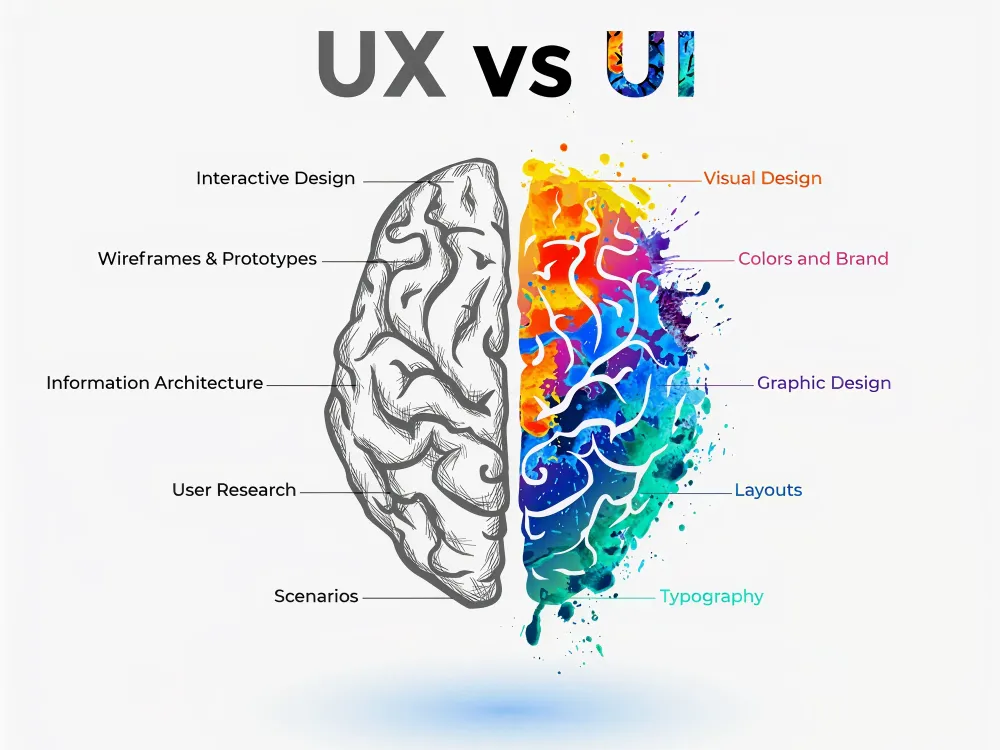
UX vs. UI: Understanding the Key Differences
Although UX and UI are closely connected, they focus on different aspects of the user journey. UX design concerns the overall experience, while UI design focuses on the visual and interactive elements users engage with. Both are essential for creating successful digital products, but they serve distinct purposes.
| Aspect | UX Design (User Experience) | UI Design (User Interface) |
| Primary Focus | How a product works and feels for users. | How a product looks and interacts visually. |
| Goal | Create a seamless, intuitive, and satisfying user experience. | Create an attractive, engaging, and easy-to-use interface. |
| Concerned With | User needs, behaviors, journeys, and usability. | Colors, typography, buttons, icons, layouts, and visual design. |
| Key Question | “Is this product easy and enjoyable to use?” | “Is this product visually appealing and intuitive to interact with?” |
| Process | Research, user flows, wireframing, testing, and optimization. | Visual design, design systems, prototyping, and interactive elements. |
| Research Involvement | Extensive user research and usability testing. | Uses UX insights to design the interface. |
| Deliverables | User personas, journey maps, wireframes, user flows, and research reports. | High-fidelity mockups, UI kits, design systems, and prototypes. |
| Success Metrics | User satisfaction, task completion, retention, and usability. | Visual consistency, accessibility, engagement, and interaction quality. |
| Skills Required | Research, psychology, information architecture, strategy, and problem-solving. | Visual design, typography, color theory, branding, and interaction design. |
| Example | Designing a smooth checkout process that minimizes friction. | Designing the buttons, forms, colors, and layouts used in the checkout page. |
Why UI/UX Design Matters?
A great user experience does more than make a product easy to use; it directly impacts business growth, customer satisfaction, and long-term success. Here are ten reasons why UX design matters:
1. Increases User Satisfaction
User satisfaction is one of the most important outcomes of good UX design. When a product is easy to navigate and understand, users can accomplish their goals without frustration. Smooth interactions and intuitive experiences create positive impressions that encourage people to return. Satisfied users are also more likely to recommend your product to others.
2. Boosts User Engagement
An effective UX design keeps users interested and engaged throughout their journey. Clear navigation, logical content organization, and seamless interactions encourage visitors to spend more time exploring your website or application. When users can easily find what they need, they are more likely to interact with additional features and content. Higher engagement often leads to stronger customer relationships and better business outcomes
3. Improves Conversion Rates
A well-designed user experience removes barriers that prevent users from taking action. Whether it’s making a purchase, filling out a form, or booking a service, a streamlined experience helps users move through the process smoothly. Reducing confusion and simplifying decision-making can significantly increase conversions. The easier the journey, the more likely users are to complete their intended action.
4. Creates a Competitive Advantage
In crowded markets, user experience can be a key differentiator. Customers often choose products that are easier and more enjoyable to use, even when alternatives offer similar features. A superior UX helps businesses stand out and build credibility. Providing a seamless experience can turn first-time visitors into loyal customers.
5. Reduces Development Costs
Investing in UX design early helps identify usability issues before development is complete. Fixing problems during the design phase is much faster and more cost-effective than making changes after launch. Clear user flows, wireframes, and prototypes reduce misunderstandings between designers and developers. This leads to fewer revisions, shorter development cycles, and lower overall costs.
6. Strengthens Brand Loyalty
A positive user experience helps build trust and emotional connections with customers. When users consistently have smooth and enjoyable interactions with a brand, they are more likely to return. Consistency across digital touchpoints reinforces familiarity and reliability. Over time, these positive experiences contribute to stronger customer loyalty and retention.
7. Enhances Accessibility
Accessibility ensures that digital products can be used by people with different abilities and needs. UX designers create experiences that support screen readers, keyboard navigation, readable typography, and sufficient color contrast. Inclusive design helps businesses reach a broader audience while improving usability for everyone. Making products accessible is not only beneficial but also increasingly expected by users.
8. Supports Better Decision-Making
Good UX design guides users toward informed decisions by presenting information clearly and logically. Well-structured layouts, visual cues, and intuitive navigation reduce confusion and cognitive load. Users can quickly find the information they need and confidently complete tasks. This creates a smoother experience and improves overall satisfaction.
9. Accelerates Product Development
A strong UX strategy provides a clear roadmap for designers, developers, and stakeholders. By defining user needs and workflows early, teams can avoid unnecessary revisions and delays. Well-documented UX deliverables help streamline communication throughout the project. This results in a faster and more efficient development process.
10. Drives Innovation
UX design is built around understanding user behaviors, challenges, and expectations. Through research and testing, businesses can uncover opportunities to improve existing products or create entirely new solutions. These insights often lead to innovative features that solve real user problems. By putting users first, organizations can continuously evolve and stay ahead of changing market demands.
Ultimately, great UX design benefits both users and businesses. It creates smoother experiences, increases customer satisfaction, and helps organizations achieve their goals through thoughtful, user-centered design.
The Importance of Premium UI/UX design for Business Growth
In today’s digital-first world, user experience has become a major factor in business success. Customers expect websites and applications to be fast, intuitive, and easy to use. A well-designed user experience not only improves customer satisfaction but also helps businesses attract, convert, and retain customers more effectively. According to Forrester Research, “For every $1 invested in user experience design, businesses can expect a return of $100.”
Increased Customer Satisfaction
UX design focuses on understanding user needs and removing friction from their journey. When customers can easily find information and complete tasks, they enjoy a smoother experience. This leads to higher satisfaction levels and creates positive impressions of the brand. Happy customers are more likely to return and recommend your business to others.
Higher User Engagement
An intuitive user experience encourages visitors to spend more time interacting with your website or application. Clear navigation, logical content structure, and seamless interactions keep users engaged. The longer users stay connected with your platform, the greater the opportunity to build trust and guide them toward meaningful actions.
Improved Conversion Rates
One of the biggest benefits of UX design is its ability to increase conversions. A streamlined user journey makes it easier for visitors to complete actions such as purchasing, booking a service, or filling out a contact form. By reducing confusion and simplifying processes, businesses can turn more visitors into paying customers.
Reduced Development Costs
UX design helps identify usability issues before development begins. Through research, wireframing, and user testing, businesses can validate ideas early and avoid costly revisions later. Solving problems during the design stage saves both time and resources while improving the quality of the final product.
Stronger Brand Trust and Credibility
Users often judge a company’s professionalism by its digital experience. A website that feels modern, organized, and easy to use inspires trust. Consistent and user-friendly experiences strengthen brand credibility and help businesses stand out in competitive markets.
Better Customer Retention
Acquiring new customers is important, but retaining existing ones is even more valuable. A positive user experience encourages customers to return repeatedly. When users consistently enjoy interacting with a product, they develop loyalty and are more likely to choose the same brand in the future.
Long-Term Business Growth
UX design is more than a design discipline—it is a business strategy. By improving engagement, increasing conversions, reducing costs, and building customer loyalty, UX directly contributes to sustainable growth. Companies that invest in user experience build stronger customer relationships and position themselves for long-term success.
Competitive Advantage
With millions of websites competing for attention, user experience can be a powerful differentiator. Businesses that prioritize UX create products that are easier and more enjoyable to use than their competitors. This advantage helps attract more users and strengthens market positioning.
The Premium UI/UX Design Process
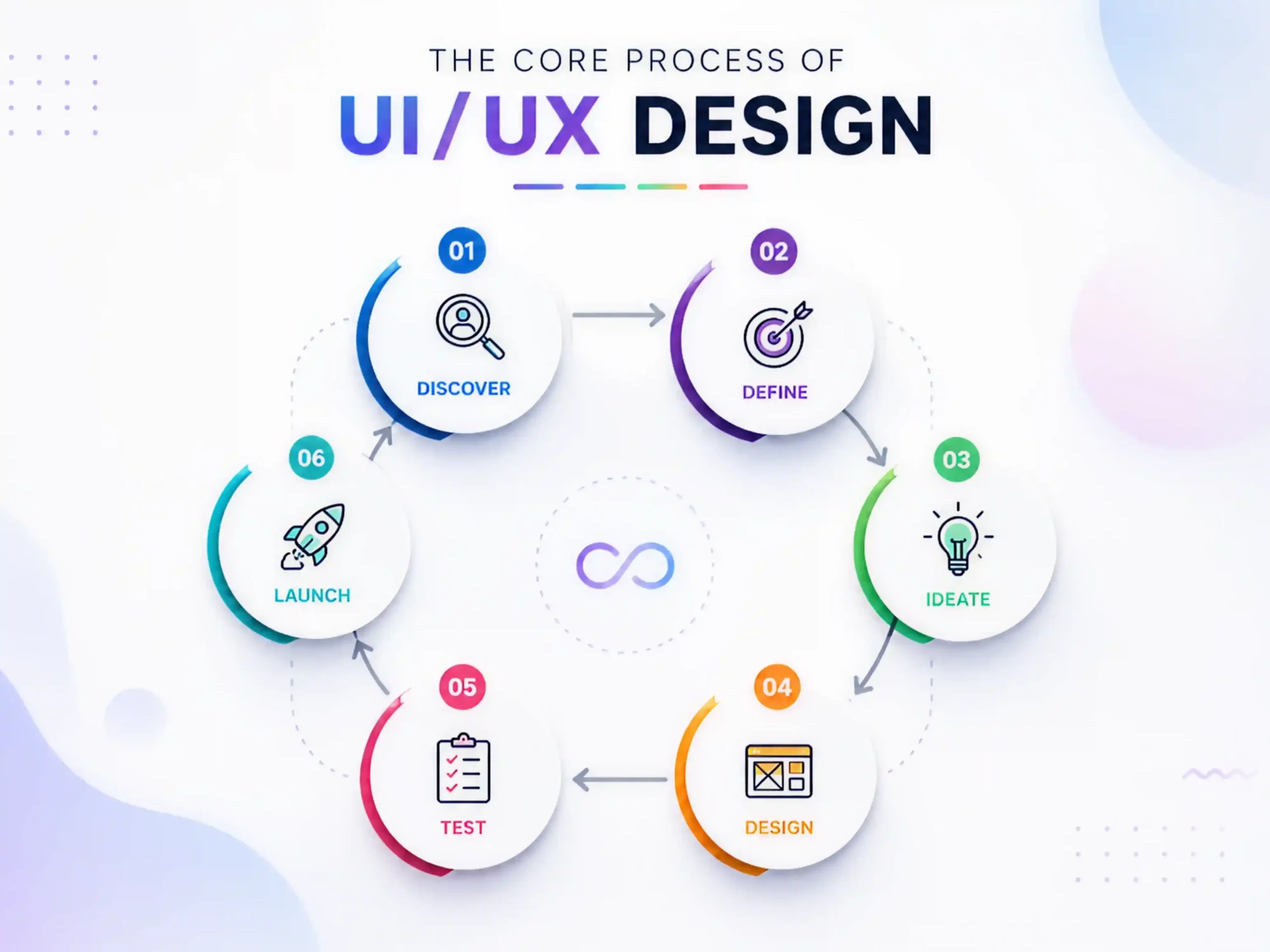
A premium UI/UX design process is a structured, iterative system that reduces guesswork, prevents costly redesigns, and ensures every design decision is backed by user insight and business alignment. Instead of jumping into visuals, it follows a clear sequence of define → research → plan → design → validate → handoff, with feedback loops at every stage.
UI/UX Design Process Overview
Define | Establish goals and project scope | Product brief, KPIs, requirements |
Research | Understand users and market needs | Personas, insights, competitor analysis |
Plan | Organize content and user journeys | Information architecture, user flows, wireframes |
Design | Create the visual experience | UI designs, design systems, prototypes |
Test | Validate usability with real users | User feedback, issue reports |
Refine | Improve based on testing insights | Optimized designs |
Handoff | Prepare designs for development | Specifications and development assets |
Step 1: Define
The Define phase lays the strategic foundation for the entire project. Before designing screens or features, teams align on business objectives, target users, project constraints, and success metrics. Establishing clear goals early helps prevent scope creep and ensures every design decision supports a measurable outcome.
Key Activities
- Define product vision and objectives
- Identify target users
- Establish success metrics (KPIs)
- Document technical, budget, and timeline constraints
- Determine project scope
Typical Outputs
- Product brief
- Scope document
- KPI framework
Step 2: Research
Research helps teams replace assumptions with real user insights. By studying user behaviors, challenges, and expectations, designers can create solutions that solve genuine problems rather than perceived ones.
Key Activities
- User interviews
- Behavioral analysis
- Pain point identification
- Competitor research
- Market analysis
Typical Outputs
- User personas
- Customer journey maps
- Competitive analysis report
- Research insights
Step 3: Plan
Once research is complete, the next step is to organize the information and define how users will interact with the product. This stage focuses on creating a logical structure that makes navigation and task completion simple and intuitive.
Key Activities
- Information architecture planning
- User flow creation
- Content organization
- Wireframe development
Typical Outputs
- Sitemap
- User flows
- Low-fidelity wireframes
Step 4: Design
The Design phase transforms concepts into polished user interfaces. Designers build layouts, visual systems, and reusable components that create a consistent and engaging experience across the product.
Key Activities:
- Wireframing
- High-fidelity UI design
- Design system creation
- Component and state design
Core UI Elements:
Element | Purpose |
Typography | Creates hierarchy and readability |
Color System | Supports branding and usability |
Spacing | Maintains visual consistency |
Components | Ensures scalability and efficiency |
Icons & Visuals | Improve communication and engagement |
Typical Outputs:
- High-fidelity mockups
- Design system
- Responsive screen designs
Step 5: Prototype
Prototyping turns static screens into interactive experiences. Designers connect screens and interactions to simulate how the final product will behave, allowing teams to validate user flows before development begins.
Key Activities:
- Create clickable prototypes
- Define interactions and transitions
- Simulate user journeys
Typical Outputs:
- Interactive prototype
- User interaction models
Step 6: Test
Usability testing helps identify friction points before launch. Observing real users complete tasks reveals issues that may not be visible during the design process.
Issue Priority Framework
Severity | Impact |
Critical | Prevents task completion |
Major | Creates significant difficulty |
Minor | Causes confusion but remains usable |
Cosmetic | Visual issue with minimal impact |
Typical Outputs
- Usability Testing Report
- UX recommendations
- Prioritized improvement list
Step 7: Refine
Testing insights are used to improve the product. Designers revise layouts, interactions, and content based on feedback, then retest when necessary. This iterative process is what transforms a good user experience into a great one.
Key Activities:
- Resolve usability issues
- Improve user flows
- Optimize interface elements
- Conduct additional validation
Typical Outputs:
- Finalized designs
- Enhanced user experience
Step 8: Developer Handoff
Once designs are approved, all assets and specifications are prepared for development. A detailed handoff ensures developers can accurately translate designs into a functional product.
Handoff Package Includes:
- Design files
- Component library
- Design system documentation
- Interaction specifications
- Responsive behavior guidelines
Typical Outputs:
- Development-ready assets
- UI specifications
- Implementation documentation
Premium Web Design for B2B Brands
From the list of leading B2B platforms, a few stand out for their exceptional balance of clarity, conversion focus, and user experience. These websites don’t just look good, they are strategically designed to guide users through complex buying journeys, build trust quickly, and drive action.
Below are the 5 strongest examples of B2B website design excellence, refined and analyzed for inspiration.
1. HubSpot: The Benchmark for Content-Driven B2B Design
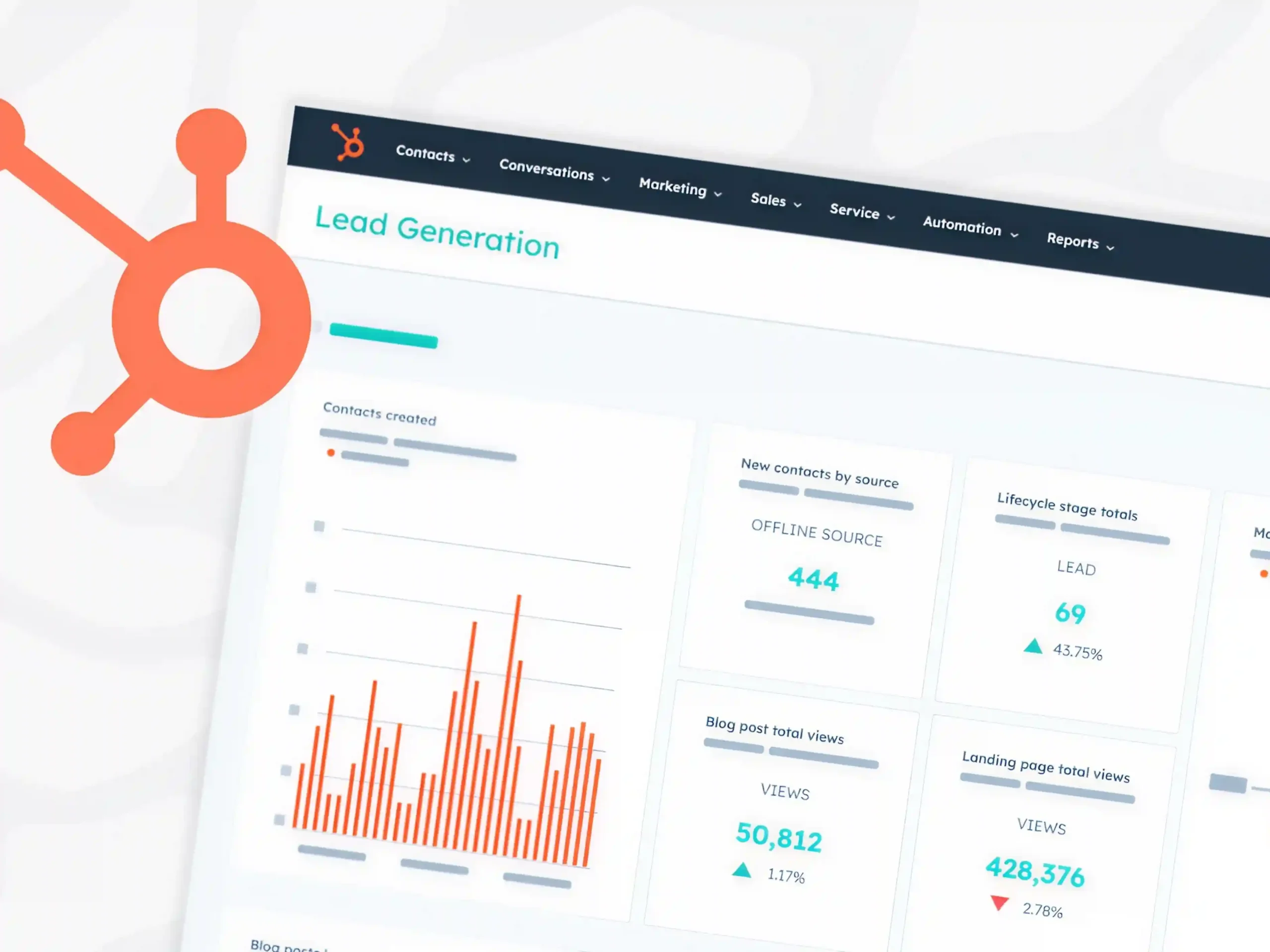
HubSpot sets the gold standard for inbound marketing websites by combining education, trust-building, and conversion-focused UX into a seamless experience.
The website is structured around providing value first. Instead of pushing sales immediately, it offers blogs, eBooks, templates, and case studies that help users solve real problems. This positions HubSpot as an authority before any purchase decision is made.
Strategic calls-to-action guide users naturally through different stages of the funnel—from exploring free CRM tools to subscribing to newsletters and upgrading to paid solutions. The experience feels less like a sales pitch and more like a guided journey.
Why it stands out:
- Strong educational ecosystem (blogs, resources, guides)
- Clear, multi-stage conversion funnels
- Trust-building through case studies and success stories
- Seamless navigation between free and paid offerings
2. Slack: Masterclass in Pain-Point Driven Messaging
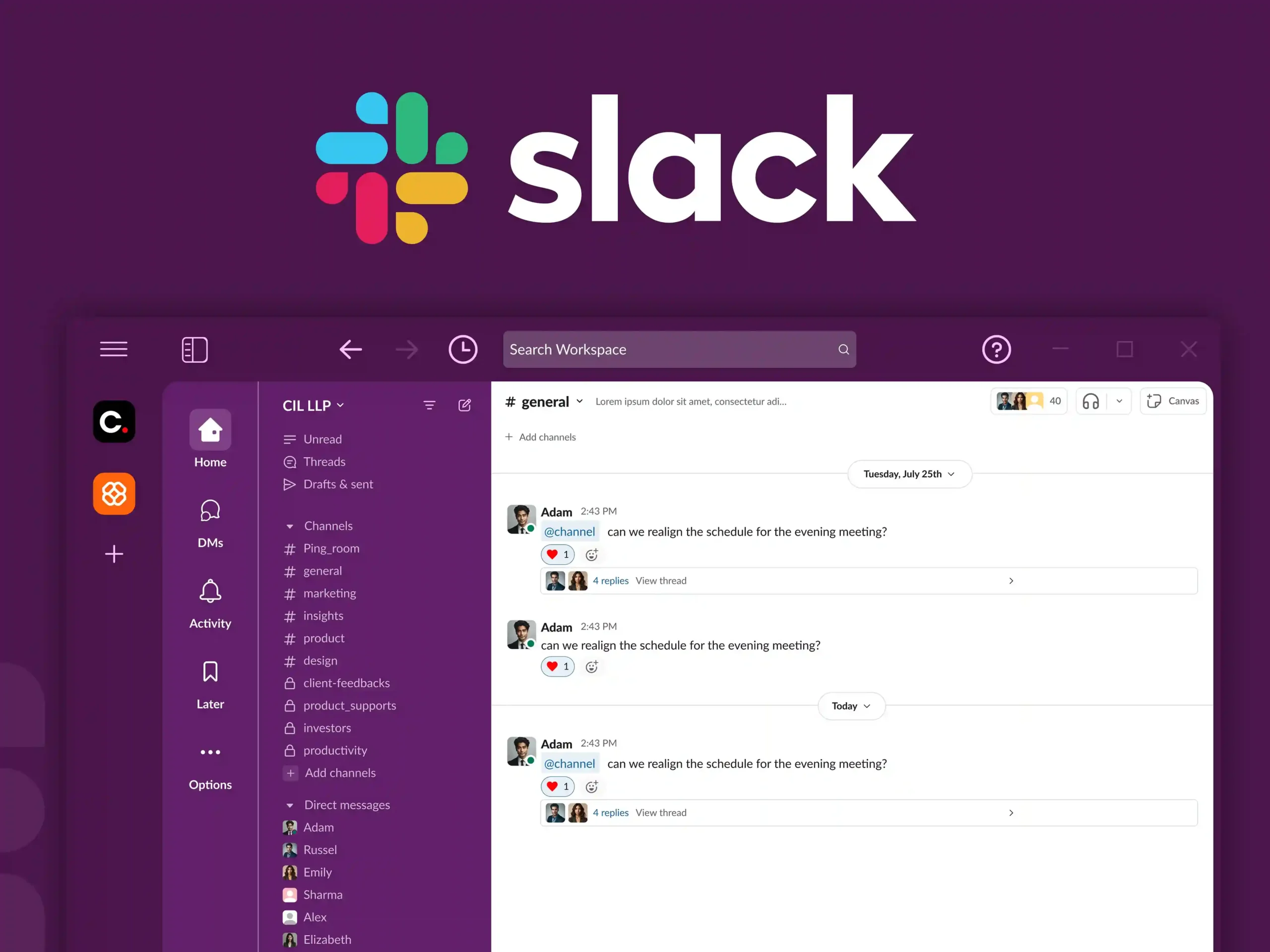
Slack’s website excels at one thing: instantly communicating value. The messaging is direct and user-focused: “Keep your team coordinated, wherever you are.” This immediately addresses a core business pain point: fragmented communication.
The interface is clean, minimal, and distraction-free, ensuring that users focus on the product’s core benefit. Slack also reduces friction by prominently featuring free trials and sign-up actions, making it easy for teams to start without hesitation.
Why it stands out:
- Clear pain-point driven messaging
- Extremely low visual friction
- Strong conversion-focused CTAs
- Smooth onboarding pathways
3. Dropbox: Simplicity That Drives Clarity
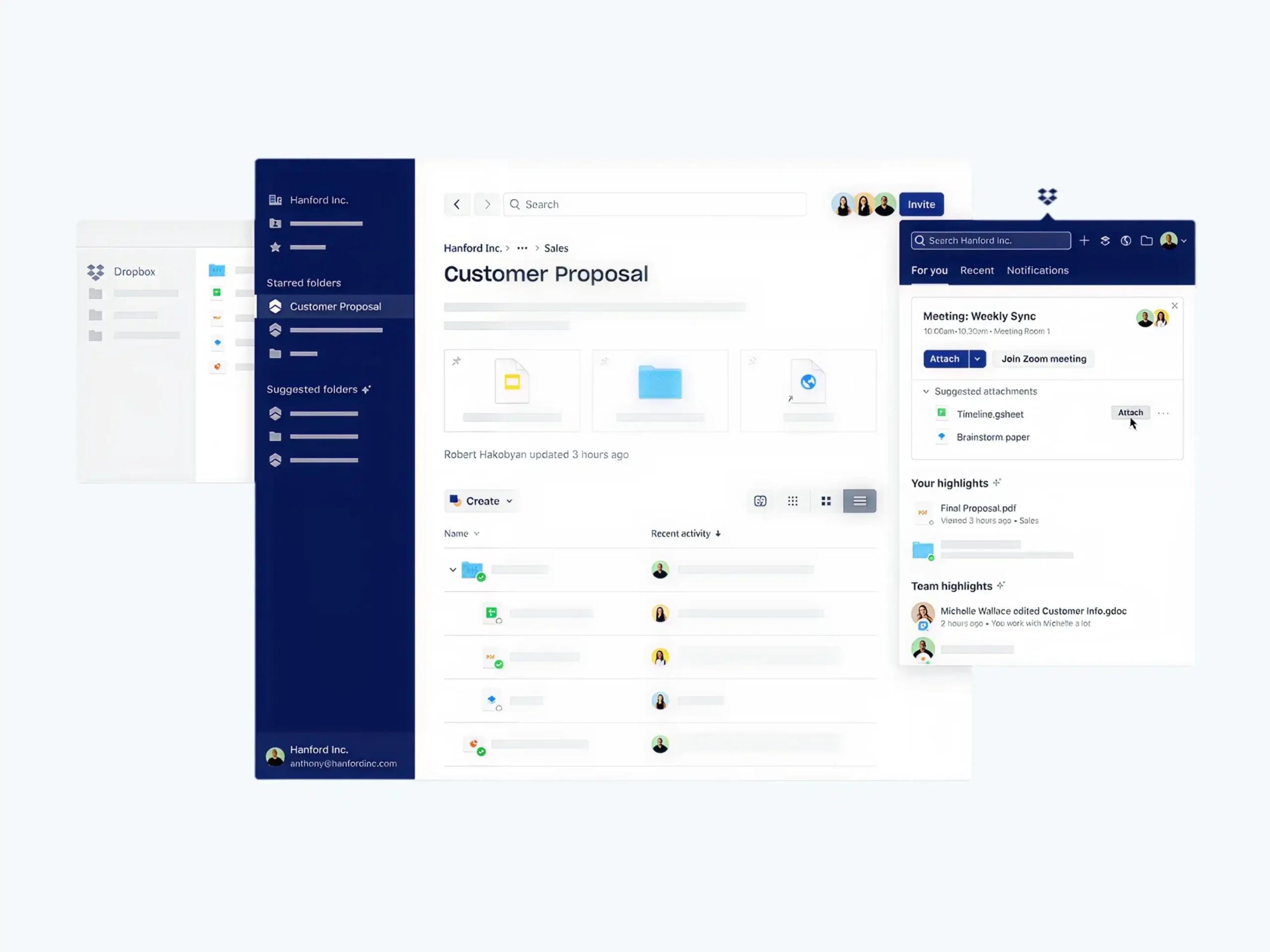
Dropbox demonstrates how powerful simplicity can be in B2B design. Instead of overwhelming users with technical details, Dropbox focuses on its core value: storing, syncing, and sharing files. The design uses minimal text, clean layouts, and intuitive visuals to communicate functionality instantly.
This approach is especially effective for B2B users who prioritize efficiency and clarity over complexity.
Why it stands out:
- Minimalist, distraction-free interface
- Clear focus on core product functionality
- Easy-to-scan content structure
- Strong visual hierarchy
4. Salesforce: Enterprise-Level UX with Deep Personalization
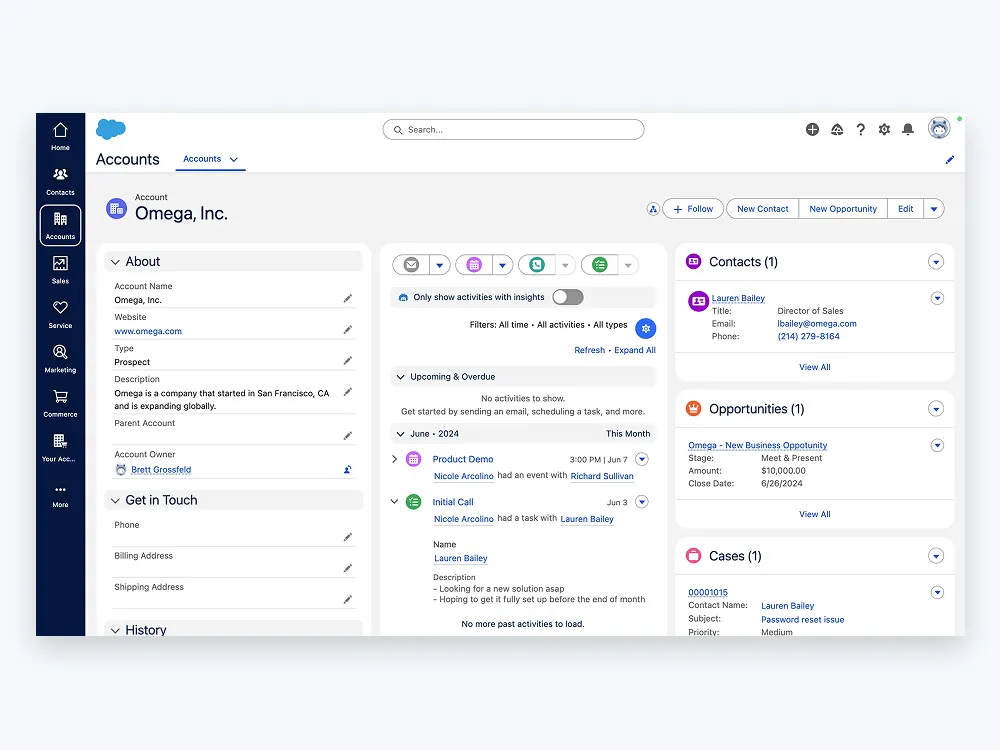
Salesforce is a powerful example of how to design for complex enterprise audiences without overwhelming them. Despite offering a vast ecosystem of CRM and enterprise solutions, the website organizes content around user needs rather than product complexity. Visitors can explore tailored solutions, request demos, and access case studies that match their industry.
Interactive elements and guided navigation help simplify decision-making for high-value buyers, making complex offerings feel accessible.
Why it stands out:
- Highly structured enterprise navigation
- Personalized solution pathways
- Strong use of demos and interactive content
- Rich ecosystem of case studies and resources
5. Webflow: Minimalism with Creative Control
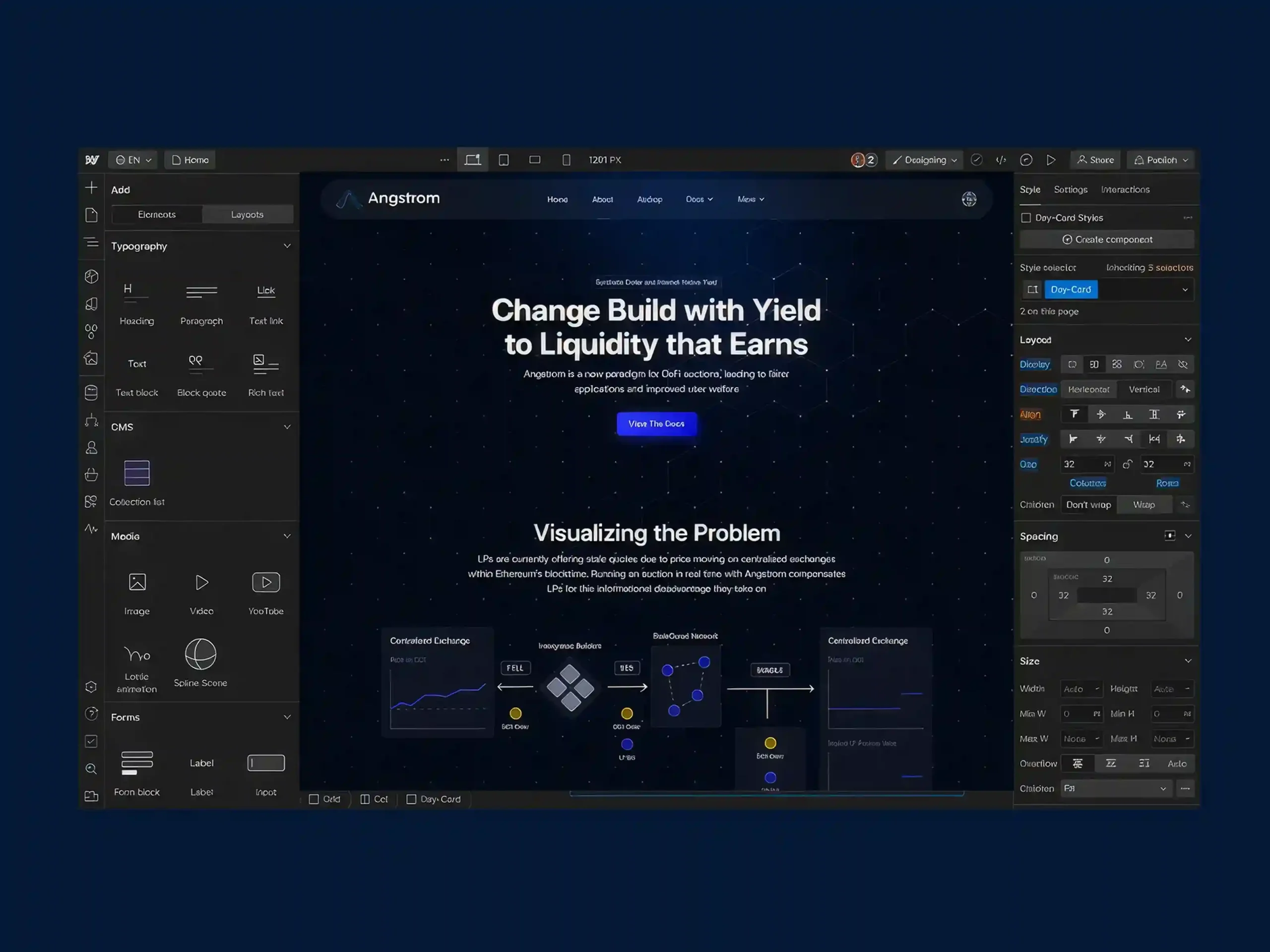
Webflow is a standout example of modern SaaS design that blends minimalism with creative empowerment. The website uses generous white space, clean typography, and subtle motion to highlight its core promise: building websites visually without code. Instead of cluttering the interface, Webflow lets the product experience and visuals take center stage.
This design approach strongly resonates with designers, developers, and creative teams looking for flexibility and control.
Why it stands out:
- Strong use of whitespace and visual hierarchy
- Minimalist but expressive UI
- Product-led storytelling
- Clear focus on creative professionals
The impact of UI/UX on technical SEO
UI/UX design directly affects how search engines evaluate and rank a website because SEO is no longer just about keywords—it’s about user experience and behavior.
- A good UI/UX improves user engagement metrics like time on page, scroll depth, and click-through rates, while poor design increases bounce rates. These behavioral signals indirectly influence search rankings.
- Site structure and information architecture play a key role in SEO. A clean, logical navigation system helps search engines crawl and index pages efficiently while also making it easier for users to find content.
- Page speed is heavily influenced by UI/UX choices such as image optimization, layout complexity, and animations. Since Core Web Vitals are ranking factors, slow or heavy designs can negatively impact SEO performance.
- Mobile UX is critical because Google uses mobile-first indexing. If the mobile experience is poor; slow loading, hard navigation, or unreadable text, rankings will suffer even if the desktop version is strong.
- Internal linking and navigation design improve both user flow and crawlability. Well-placed links help users explore content naturally while also distributing SEO value across pages.
- Content readability and visual hierarchy also matter. Clear typography, proper spacing, and structured headings keep users engaged longer, which improves overall SEO signals.
How to balance web aesthetics with page speed
Balancing design and performance means ensuring a website is visually engaging without sacrificing speed or usability. The best modern websites achieve both through intentional design decisions and technical optimization working together.
1. Understand the Design–Performance Balance
Every visual element adds value, but it can also affect loading speed. The goal is to prioritize design choices that create impact without introducing unnecessary performance costs.
Design Element | Benefit | Best Practice |
High-quality images | Strong visual appeal | Compress images and use modern formats like WebP |
Animations | Increase engagement | Use subtle micro-interactions instead of complex animations |
Hero sections | Create strong first impressions | Optimize above-the-fold content |
Minimal layouts | Improve readability and speed | Focus on simplicity and clarity |
Third-party scripts | Add functionality | Use only essential scripts and optimize them |
2. Focus on What Users See First
The first few seconds of a page visit have the greatest impact on user perception. Prioritize loading the most important content immediately while delaying less critical elements until later.
Prioritize:
- Headlines and key messaging
- Primary call-to-action buttons
- Essential images and visuals
Load Later:
- Secondary images
- Additional content sections
- Non-essential media and interactive elements
This approach helps users engage with the page quickly while background content loads efficiently.
3. Optimize Visual Assets
Images and media are often the largest contributors to slow page speeds. Optimizing assets can dramatically improve performance without reducing visual quality.
Recommended Practices:
- Compress images before uploading
- Use modern image formats such as WebP
- Resize images to the correct dimensions
- Enable lazy loading for off-screen content
- Avoid unnecessary video backgrounds
Well-optimized visuals maintain design quality while reducing page weight.
4. Keep the Interface Clean and Purposeful
A visually appealing website does not need excessive effects, animations, or decorative elements. Simplicity often creates a more premium user experience.
A clean interface should:
- Use clear visual hierarchy
- Emphasize important content
- Maintain consistent spacing
- Reduce unnecessary design clutter
- Support easy navigation
Simple, intentional design decisions often improve both usability and performance.
5. Improve Technical Performance
Design and development should work together to create a fast experience. Technical optimizations help ensure that visual elements load efficiently.
Optimization | Benefit |
Minified CSS and JavaScript | Reduces file sizes |
Browser caching | Improves repeat visits |
Content Delivery Networks (CDNs) | Reduces loading time globally |
Efficient code structure | Faster rendering and interactions |
Optimized fonts | Better performance and readability |
6. Monitor User Experience Metrics
Website speed directly impacts how users interact with your site. Poor performance can increase bounce rates and reduce conversions.
Pay close attention to:
- Page load time
- Core Web Vitals
- Layout stability
- Interaction responsiveness
- Mobile performance
Regular monitoring helps identify areas that need improvement before they affect user satisfaction.
7. Continuously Test and Refine
Balancing aesthetics and performance is an ongoing process rather than a one-time task. As new features, content, and design updates are added, performance should be reviewed regularly.
A simple optimization cycle includes:
Design → Build → Measure → Optimize → Test → Improve
By continuously refining both design and performance, businesses can create websites that are visually appealing, fast, and enjoyable to use.
UI/UX Best Practices for Headless Commerce
Headless commerce gives businesses complete freedom to create faster, more flexible, and highly personalized shopping experiences. However, this flexibility also requires a strong UX strategy to ensure customers enjoy a seamless journey from product discovery to checkout. Following the right UI/UX practices helps maximize the benefits of a headless architecture while improving engagement and conversions.
- Prioritize Performance: Optimize images, scripts, and assets to ensure fast-loading pages and smooth interactions.
- Simplify Product Discovery: Use intuitive navigation, smart search, and advanced filters to help users find products quickly.
- Adopt a Mobile-First Approach: Design responsive experiences with touch-friendly interactions and streamlined mobile checkouts.
- Maintain Design Consistency: Use a unified design system across websites, apps, and other digital touchpoints.
- Leverage Personalization: Deliver relevant product recommendations, tailored content, and personalized shopping experiences.
- Design for All States: Include loading, empty, success, and error states to provide clear user feedback.
How Core Web Vitals Impact UX Design
Core Web Vitals directly shape how users experience a website, and they have become a key link between technical performance and UX quality. Google uses these metrics not just for SEO ranking, but also as indicators of real user satisfaction.
- Largest Contentful Paint (LCP) affects how fast users see the main content. If a page loads slowly, users feel the site is unresponsive, which increases frustration and drop-offs. From a UX perspective, this pushes designers to prioritize lightweight images, optimized layouts, and fast-loading above-the-fold content.
- Interaction to Next Paint (INP) measures how quickly a page responds to user actions like clicks or taps. Poor interaction speed makes interfaces feel laggy or broken, so UX design must ensure buttons, menus, and interactive elements are responsive and not overloaded with heavy scripts or animations.
- Cumulative Layout Shift (CLS) tracks unexpected layout movement while a page loads. When elements shift suddenly, users may misclick or lose their place, creating a frustrating experience. Good UX design solves this by reserving space for images, ads, and dynamic content to maintain visual stability.
- These metrics also influence design decisions early in the process, not just development. Designers now need to consider performance when creating layouts, avoiding overly complex sections, heavy visual effects, and unnecessary UI elements that slow rendering.
- Ultimately, Core Web Vitals push UX toward a more performance-first design approach, where clarity, speed, and stability are as important as aesthetics.
Common Mistakes to Avoid
Even the most visually appealing websites can fail if fundamental UI/UX principles are overlooked. Whether you’re designing a traditional website, a headless commerce platform, or a high-performance web application, avoiding these common mistakes can significantly improve usability, engagement, and conversion rates.
1. Prioritizing Visual Design Over User Experience
Many businesses focus heavily on aesthetics while neglecting usability. While attractive visuals can capture attention, users ultimately stay for a seamless experience. Complex layouts, excessive animations, or unconventional navigation may look impressive but often create friction and confusion.
2. Ignoring Website Performance
A slow website can undermine even the best design. Large images, unoptimized videos, heavy scripts, and unnecessary design effects increase loading times and frustrate users. Performance should be considered from the start of the design process, not as an afterthought.
3. Designing Without User Research
Making design decisions based on assumptions instead of real user insights is one of the biggest UX mistakes. Without understanding user needs, behaviors, and pain points, teams risk building experiences that solve the wrong problems.
4. Creating Complicated Navigation
If users struggle to find information, they are unlikely to stay engaged. Overly complex menus, unclear labels, and poorly structured information architecture create unnecessary friction. Navigation should feel intuitive and require minimal effort to understand.
5. Neglecting Mobile Users
With mobile traffic dominating most industries, designing primarily for desktop experiences can lead to poor usability and lost conversions. Responsive layouts, touch-friendly interactions, and optimized mobile performance are essential for modern websites.
Final Thoughts
In a world where users can leave a website with a single click, great UI/UX design is no longer optional; it’s a competitive advantage. The most successful digital products are not just visually appealing; they are intuitive, accessible, fast, and built around real user needs.
From understanding the difference between UI and UX to implementing structured design processes, optimizing for Core Web Vitals, and creating seamless headless commerce experiences, every design decision shapes how users perceive and interact with your brand. When aesthetics, usability, and performance work together, businesses create experiences that drive engagement, increase conversions, strengthen customer loyalty, and support long-term growth.
The best digital experiences feel effortless because every detail has been carefully considered. By prioritizing user-centered design, continuous testing, and performance-focused optimization, organizations can build products that not only look exceptional but also deliver measurable business results. Ultimately, Premium UI/UX design isn’t about making interfaces aesthetic; it’s about creating meaningful experiences that help users succeed, and businesses thrive.

Design is not just what it looks like and feels like. Design is how it works.
This quote reminds us that successful design is not defined by appearance alone. While visual appeal matters, the true measure of great design is how effectively it solves problems, supports users, and creates a smooth, intuitive experience that feels effortless to use.
Related posts